
How to Set Up Existing Content
If your site already has published content, this guide shows how to bring that content into Content Lifecycle Manager.
When to Use This
Use setup when:
- the plugin has just been installed on an existing site
- older posts or pages do not yet have lifecycle data
This process only applies to content that is missing Content Lifecycle Manager data.
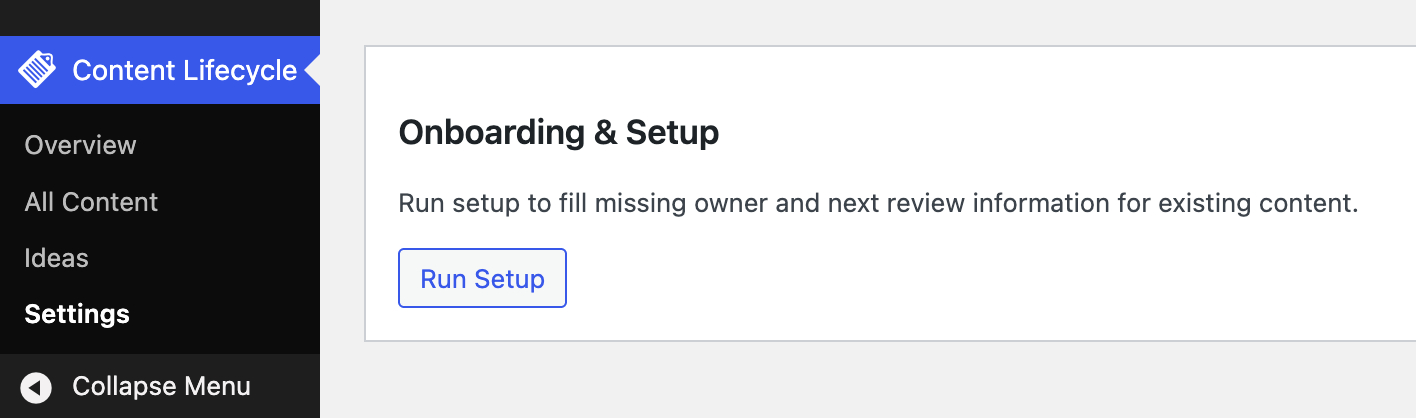
Open the Setup Interface
Go to:
Content Lifecycle -> Settings
In the setup section, start the setup flow for existing content.
Choose How Owners Should Be Assigned
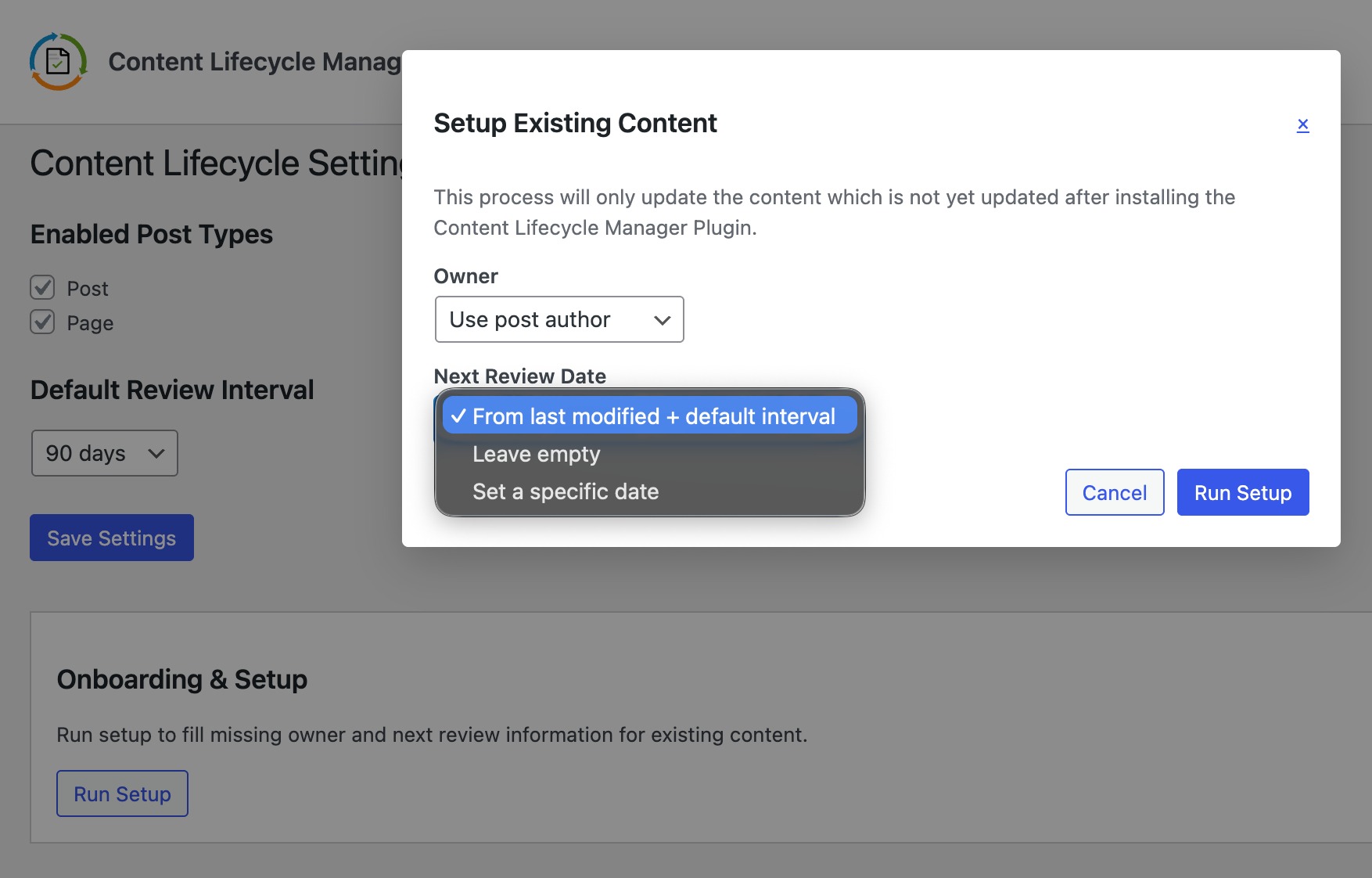
The setup flow allows you to choose how ownership should be set for older content.
You can:
- use the current post author
- choose a specific user
This is helpful when ownership should follow authorship or when one person is responsible for content upkeep.
Choose How the Next Review Date Should Be Set
The setup flow also lets you decide how the next review date should be populated for older content.
This helps bring existing content into a review cycle without updating each item manually.
Run the Setup
Start the process and allow it to complete.
The plugin processes older content in batches so large sites can be handled more safely.
Check the Results
After setup is complete:
- Open
Overviewto see the updated content health summary. - Open
All Contentto review assigned owners and review dates.
