
Start Here
How to Manage Content Ideas
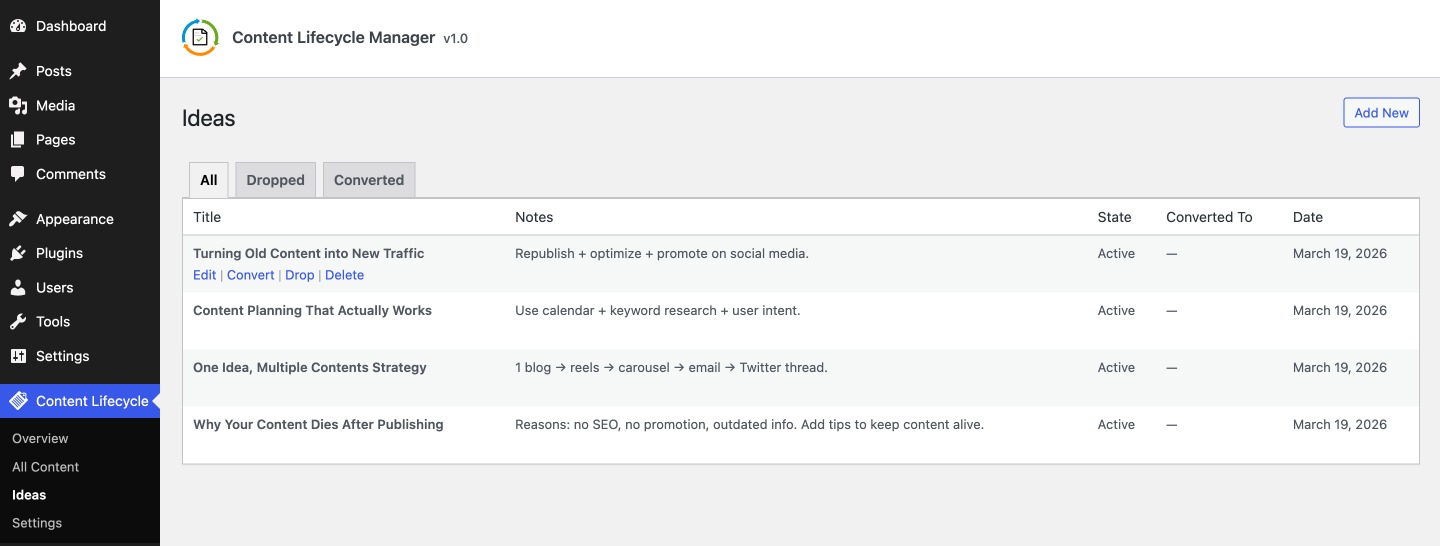
The Ideas section gives you a simple place to capture content ideas before they become real posts.
Open the Ideas Screen
Go to:
Content Lifecycle -> Ideas
The Ideas screen shows all saved ideas and lets you manage them through simple row actions.
Add a New Idea
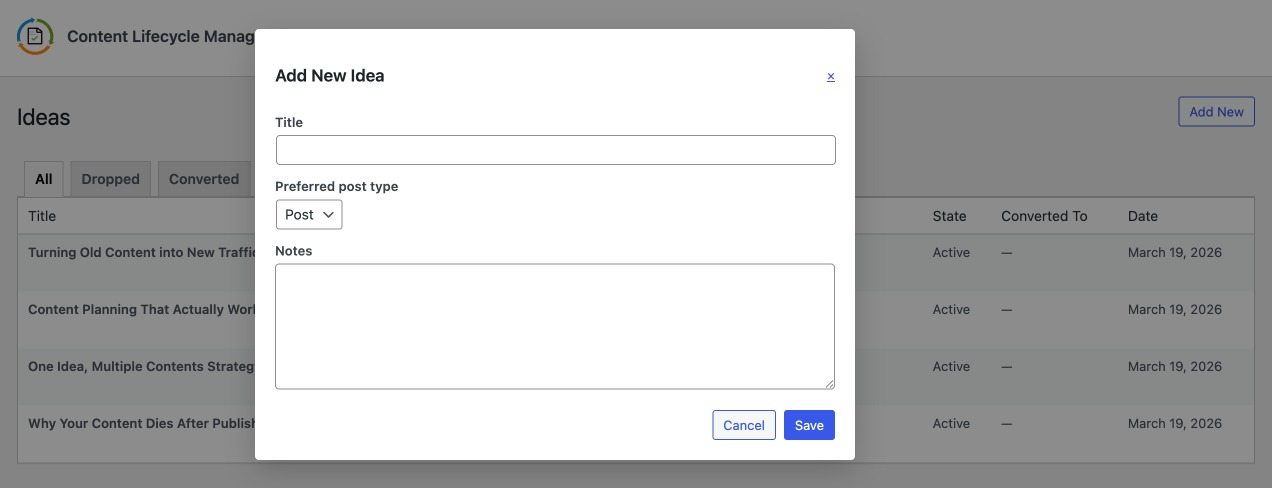
Click Add New to open the idea popup.
Fill in:
- title
- preferred post type
- notes
This keeps early ideas out of the main post list until they are ready.
Edit an Idea
Use Edit in the row actions to update:
- the title
- notes
- preferred post type
Convert an Idea into a Draft
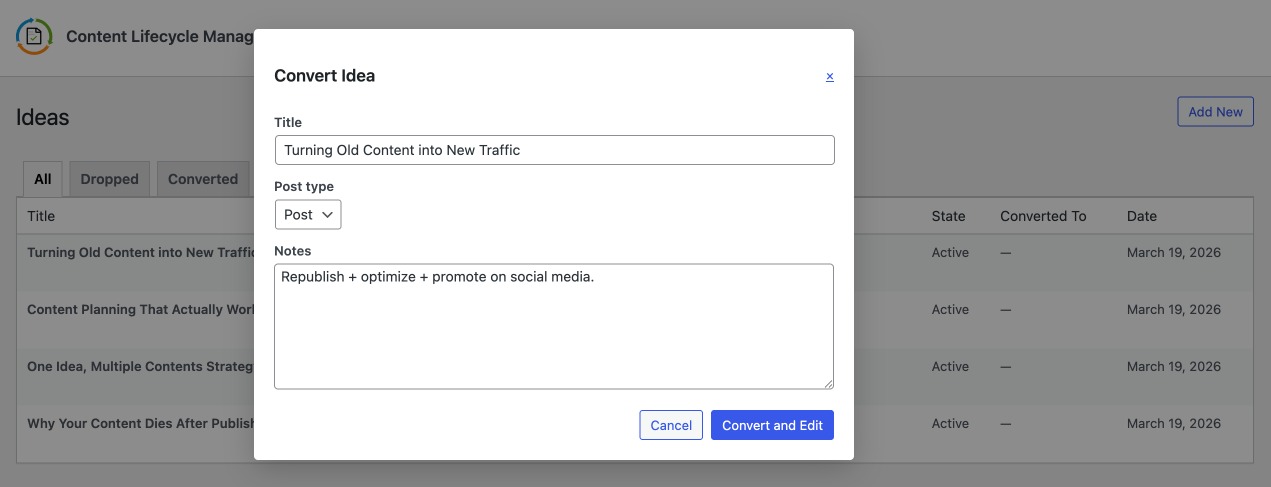
Use Convert when an idea is ready to become content.
The convert popup lets you:
- confirm or update the title
- choose the target post type
- review the notes before conversion
After conversion:
- a draft post is created
- you are redirected to edit the new draft
- the idea moves to the
Convertedtab
Drop or Restore an Idea
Use Drop when an idea should be removed from the active queue without being deleted.
Dropped ideas remain available in the Dropped tab and can be restored later.
Delete an Idea
Use Delete when the idea should be permanently removed.
The plugin shows a confirmation alert before deletion.
